📖 Introduction
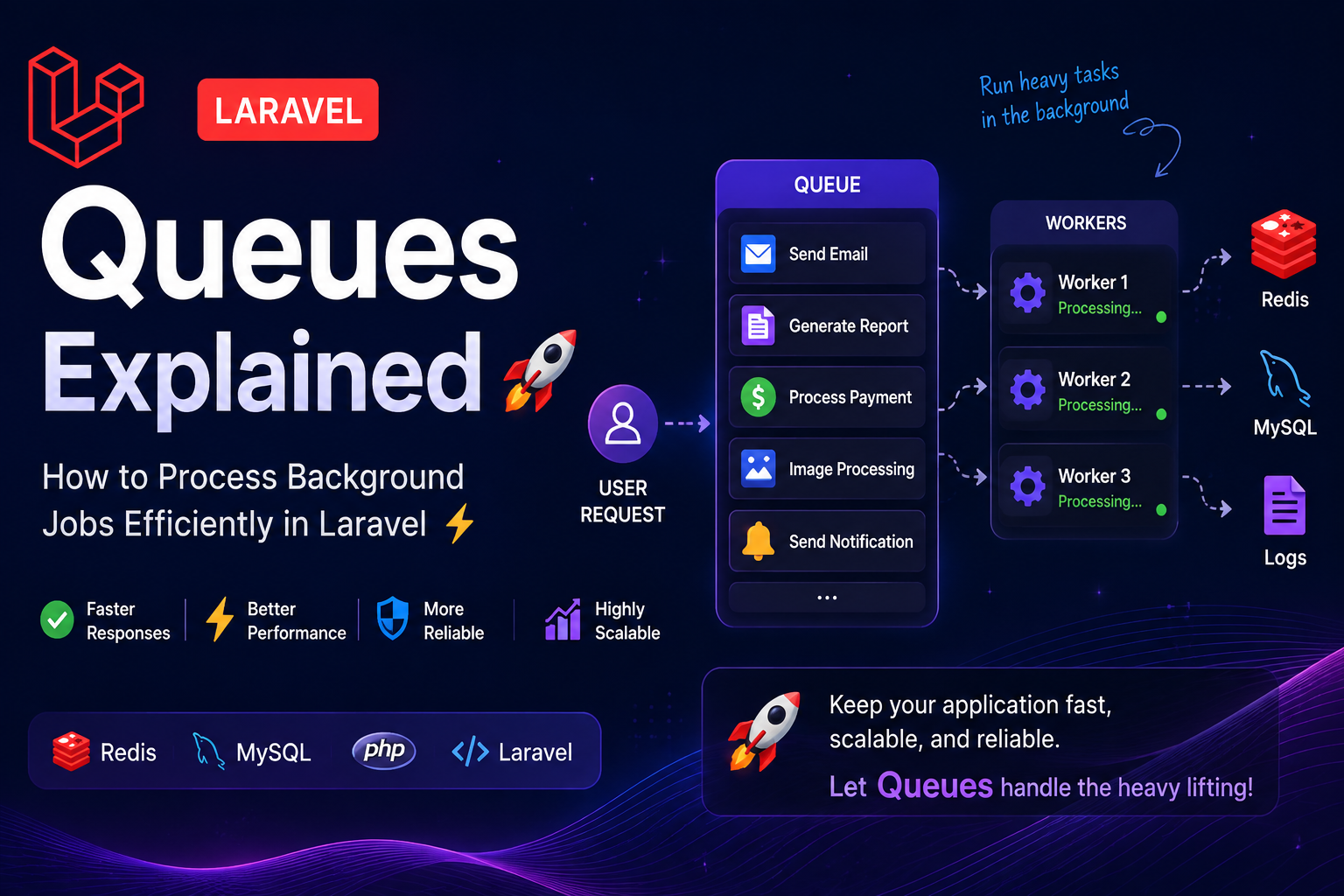
Modern web applications often perform tasks that take time to complete, such as:
- 📧 Sending Emails
- 📄 Generating Reports
- 💳 Processing Payments
- 🖼️ Uploading Images
- 🔔 Sending Notifications
Running these tasks during an HTTP request forces users to wait, leading to a poor user experience.
✨ Laravel Queues solve this problem by moving time-consuming tasks to the background, allowing your application to respond immediately while heavy work is processed asynchronously.
🤔 Why Use Queues?
Imagine a customer places an order on your website.
Without queues, your application must complete every task before responding:
- ✅ Save Order
- 📧 Send Confirmation Email
- 📄 Generate Invoice
- 📦 Update Inventory
- 🔔 Notify Admin
This makes users wait.
With Laravel Queues, only the order is saved immediately. Everything else happens in the background.
🎯 Benefits
- ⚡ Faster page loads
- 😊 Better user experience
- 📈 Improved scalability
- 🚀 Reduced server response time
- 💪 Better application performance
🛠️ Creating Your First Job
Laravel makes creating background jobs incredibly easy.
php artisan make:job SendWelcomeEmail
The generated job contains a handle() method where your business logic lives.
public function handle(): void
{
    Mail::to($this->user)
        ->send(new WelcomeMail());
}
🚀 Dispatching Jobs
Dispatch the job after a user registers.
SendWelcomeEmail::dispatch($user);
✨ The HTTP request finishes immediately while the email is processed in the background.
⚙️ Queue Drivers
Laravel supports multiple queue drivers depending on your application requirements.
🚀 Driver💡 Best Use🗄️ DatabaseSmall & Medium Projects⚡ RedisHigh Performance Applications☁️ Amazon SQSAWS Cloud Applications📦 BeanstalkdLegacy Queue Systems🧪 SyncLocal Development Only
👷 Running Queue Workers
Start a queue worker using:
php artisan queue:work
For production environments, keep workers running continuously using Supervisor, systemd, or another process manager.
This ensures your queued jobs are processed automatically.
❌ Handling Failed Jobs
Sometimes jobs fail because of:
- 🌐 Network issues
- 📧 Mail server downtime
- 💳 Payment gateway errors
- 🔌 Temporary API failures
Laravel automatically stores failed jobs.
View failed jobs:
php artisan queue:failed
Retry them:
php artisan queue:retry all
🌍 Real-world Examples
Laravel Queues are perfect for:
- 📧 Sending Emails
- 🔔 Push Notifications
- 💳 Payment Processing
- 🖼️ Image Optimization
- 📄 PDF Generation
- 📊 Report Generation
- 📥 Importing Excel Files
- 🔄 API Synchronization
- ☁️ Cloud Backups
- 🤖 AI Processing Tasks
💡 Best Practices
Follow these recommendations for production-ready applications.
✅ Keep each job focused on a single responsibility.
✅ Avoid placing heavy business logic inside controllers.
✅ Use Redis for high-performance production environments.
✅ Monitor failed jobs regularly.
✅ Log exceptions for easier debugging.
✅ Use retries wisely to handle temporary failures.
✅ Keep queue workers supervised in production.
📊 Typical Queue Workflow
👤 User Request
        │
        ▼
📝 Controller
        │
        ▼
🚀 Dispatch Job
        │
        ▼
📦 Queue (Redis / Database)
        │
        ▼
👷 Queue Worker
        │
        ▼
📧 Email / 💳 Payment / 🔔 Notification / 📄 Report
🎯 Conclusion
Laravel Queues are one of the framework's most powerful features for building fast, scalable, and production-ready applications.
Whether you're sending emails, processing payments, generating reports, or handling thousands of records, background jobs keep your application responsive and your users happy.
By implementing queues early in your project, you'll build applications that are easier to maintain, more scalable, and capable of handling growing workloads efficiently.
🚀 Let your users interact with your application—not wait for it. Let Laravel Queues do the heavy lifting!
📚 What You'll Learn
✔️ What Laravel Queues are
✔️ Why background jobs matter
✔️ Creating and dispatching jobs
✔️ Queue workers
✔️ Queue drivers
✔️ Failed jobs & retries
✔️ Production best practices
✔️ Performance optimization
🔥 Final Tip
If you're building e-commerce platforms, SaaS applications, or REST APIs, implementing Laravel Queues is one of the easiest ways to improve performance and provide a smoother experience for your users.


forum Discussion & Comments 0
rate_review Leave a Comment